

Tutorials
How to Wire a Timer Relay to 220V/240V Mains: Switch an Appliance Safely
Oct
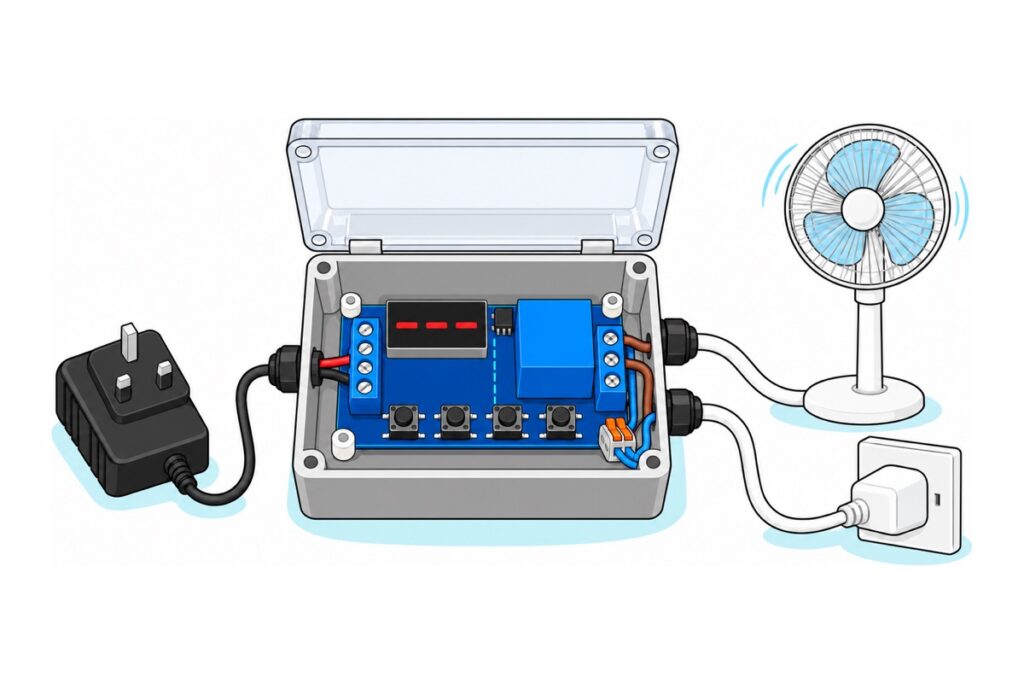
The common multi-function timer relay module switches a 240 V appliance through its relay contacts only. The board runs on low-voltage DC, the trigger stays a low-voltage signal, and the mains live passes through COM and NO. The “AC 110V 220V” in most listings is what the contacts switch, not what powers the board. For a fixed daily schedule, use a plug-in timer socket instead.
Should you wire a timer relay to 240V at all, or use a plug-in timer?
On mains, a bare circuit board can kill. These rules are not optional:
- Pull the plug before touching anything. A plug lying on the table is a state you can see; a switch position is one you have to trust.
- The board lives in an insulated plastic enclosure, on plastic standoffs, with its cables held by cord grips. The solder joints under the contact block carry 240 V too.
- Plug-in appliances only. Ceiling fans, ceiling lights, water heaters and anything behind a wall switch are fixed wiring, which belongs to an electrical contractor registered with the Energy Commission (Suruhanjaya Tenaga).
- Be honest about your competence. If stripping a three-core flex and testing continuity are not routine for you, buy the plug-in timer. If they are, have a wireman check the mains half before first use anyway.
A plug-in timer is also the right tool for schedules, because this board has no clock: it counts elapsed time from a trigger or power-up and cannot know it is 7 pm. A sealed, wiring-free plug-in timer socket can. The relay module earns its place when timing starts from an event: a button, a sensor, a door.
Does “AC 110V 220V” on a timer relay listing mean it runs on mains?
The multi-function relay module’s title, “DC 12V 24V AC 110V 220V”, packs two specifications into one line. The DC figures are the supply: the multi-function relay module runs on 6–30 V DC at its ~30V terminal, or 5 V through its micro-USB socket. The AC figures are the contacts: the blue Songle relay cube is printed 10A 250VAC and 10A 30VDC, the certified ceiling of the metal contacts inside. Its datasheet is stricter for this changeover form: 7 A resistive at 240 V AC, and 3 A for motors and other inductive loads (given at 120 V AC).
The board proves which variant it is by what it lacks. Its only power-conversion part is the black three-pin 78M05 regulator beside the relay, turning whatever arrives at ~30V into the 5 V rail for the logic and the SRD-05VDC-SL-C relay’s 5 V DC coil. A mains-powered board makes the same 5 V, so the coil proves nothing; the missing AC power stage does. The 78M05 is rated for 35 V DC maximum input, while 240 V AC peaks at about 340 V (240 × √2) every half-cycle. Wire mains to ~30V and GND and the regulator fails at once, but the buttons under your fingers are tied to mains before anything fails: GND itself has become a mains conductor.
Mains-powered boards do exist, so read a listing’s “operating voltage” line, not its title:
| Tell | DC-supplied board (our MFRELAY) | Mains-powered board |
|---|---|---|
| Supply terminal | ~30V and GND, 6–30 V DC |
Marked for AC input, typically L and N or “AC” |
| Power parts | One small three-pin 78M05 regulator | A block-shaped AC-DC power module, or a transformer with large filter capacitors |
| Micro-USB socket | Yes, feeds the same 5 V rail | Not expected: USB is a 5 V input |
| Relay coil | SRD-05VDC: 5 V DC | Often the same 5 V coil, so no tell |
| What “220V” in the title means | The contact rating | The supply, as well as the contact rating |
| While plugged in | Only the contact block is at 240 V, behind one layer of insulation | Treat the whole board as live |
Keeping the board on DC is safer: only the contact block carries 240 V, and unplugging the adapter drops the relay out and switches the appliance off. It is not touch-safe, though: between that block and the buttons lie only the relay’s internal insulation, tested at 1,500 V AC, and a strip of bare board, so the board lives in a box and is handled only with the appliance plug pulled.
Parts list — timer relay switching a 240V plug-in appliance, board powered from low-voltage DC
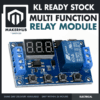 Multi Function Relay Module Time Delay Timer Switch Control Board DC 12V 24V AC 110V 220V Programmable Automation
 Power Supply Adapter DC Universal AC to DC Converter PSU 5V2A 5V3A 9V2A 12V2A - P.S. ADAPTOR (9V2A)
 5.5x2.1mm DC Power Male Connector Plug Jack Adapter for Arduino DIY Electronics Projects - 5.5x2.1 DC CONNECTOR (F)
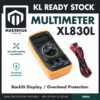 XL830L Digital Multimeter with backlight Portable Multimeter Electronics Project
 Electrical Insulation Tape 18mm x 10m PVC Color Coded Marking Red White Blue Yellow Green Black - ELECTRICAL TAPE (BLACK)
Parts list
| Item | Price | Qty | |
|---|---|---|---|
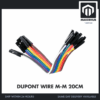 40pcs Dupont Wire 10cm 20cm 30cm for Breadboard DIY Experiment Jumper Wire Breadboard wire - DUPONT WIRE M-M 20CMDPWMM20 40pcs Dupont Wire 10cm 20cm 30cm for Breadboard DIY Experiment Jumper Wire Breadboard wire - DUPONT WIRE M-M 20CMDPWMM20 | RM3.50 |
Male-to-male dupont jumpers for the low-voltage links only: GND_T to GND and the trigger button leads. Dupont wire never goes anywhere near the 240V contact side; that side uses the appliance cord's own conductors.
The 9V 2A adapter feeds the board through the female barrel pigtail (see the trigger-side table); a micro-USB phone charger works too (choosing a DC supply). The XL830L multimeter checks the wiring dead, and the black PVC insulation tape is a second barrier over the contact screws. From a hardware store: an insulated plastic enclosure, two cord grips, a rubber grommet, a 240 V connector block, a momentary push button and a 3 A plug fuse.
How do you wire the 240V side of a timer relay module?
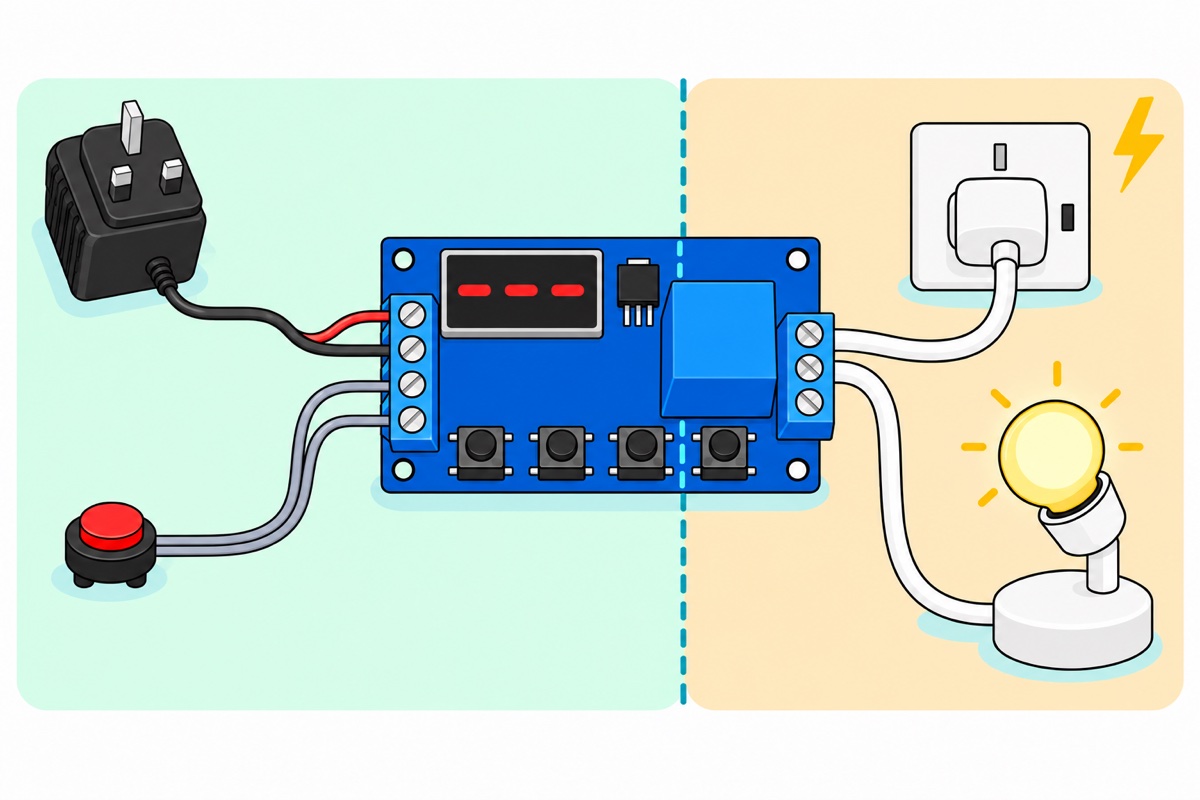
The multi-function relay module’s NO, COM and NC terminals are a bare changeover switch, connected to nothing else on the board (our relay module guide takes them apart), and on mains it goes in the live only. Cut the appliance’s cord, bring both ends in through cord grips, and wire:
| From | To | Why |
|---|---|---|
| Plug-side live (brown) | COM |
The switch’s common pole; the live enters here |
NO |
Appliance-side live (brown) | Open until the relay pulls in, so the appliance is off by default |
| Plug-side neutral (blue) | Appliance-side neutral, in the connector block | Never through the board; the neutral stays unbroken |
| Plug-side earth (green-yellow), if the cord has one | Appliance-side earth, in the connector block | Always continuous; it carries the fault current that trips the house RCD or blows the fuse if live touches a metal case |
NC |
Nothing | Left empty, but it is live whenever the relay is idle |
~30V |
COM |
Never. See below |
Why only the live? Open the neutral instead and the appliance stops, but its live wire still reaches every internal part, now with nowhere to go. Anyone changing the bulb in that “off” lamp is touching 240 V. Switching the live leaves everything past the relay disconnected from it.
Mind NC: with the relay released, COM connects to NC, so that empty screw sits at 240 V whenever the appliance is off. Cord grips clamp each cable’s sheath, so a tug pulls the box rather than a conductor out of a screw. Twist stripped cores tight but never tin them: solder creeps under a screw, the joint loosens and runs hot. Once the contact screws are tight, wrap tape round the block over the screw heads (our tape vs heat-shrink guide shows how).
Swap the plug’s fuse, often 13 A, for a 3 A one: a fuse guards the weakest part of its circuit, now the relay board rather than the cord, and 3 A matches the contacts’ inductive rating while allowing 720 W (3 × 240).
Never copy the 12V guide‘s ~30V-to-COM jumper. On the bench, that link fed the board’s own 12 V to the lamp. On mains, COM carries the live, so the same jumper puts 240 V onto ~30V, which connects to the adapter, the micro-USB socket, the trigger button and the setting buttons under your fingers.
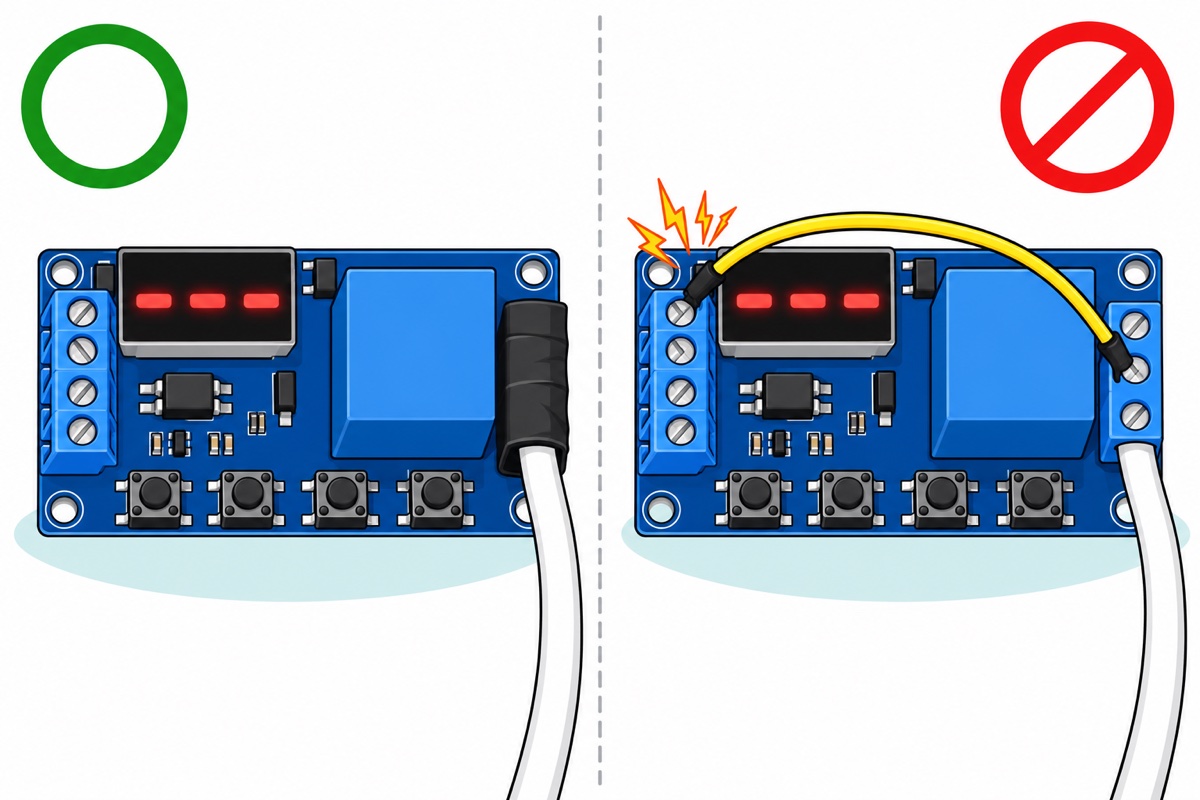
How is the low-voltage trigger side wired?
The multi-function relay module prints its four-way terminal labels on the rear silkscreen only: display up, they read ~30V, GND, Trigger and GND_T from top down. Trigger and GND_T are the two legs of the LED inside a PC817 optocoupler. The trigger lights that LED, its light crosses a gap inside the chip to a phototransistor, and that tells the microcontroller to start timing. GND_T needs a wire because the LED has no return path until you give it one.
What keeps 240 V off the low-voltage side is the relay, whose coil moves the contacts by magnetism alone. Mains on Trigger would burn out the LED and, through the GND_T-to-GND link, put 240 V on the board’s ground, so a light switch’s mains output can never be the trigger.
| From | To | Why |
|---|---|---|
| 9 V adapter barrel plug | Pigtail barrel socket | Tool-free joint |
| Pigtail RED | ~30V |
Board supply, inside 6–30 V |
| Pigtail BLACK | GND |
Board ground |
GND_T |
GND (dupont link) |
Return path for the optocoupler LED |
~30V |
Push button, other leg to Trigger |
Pressing puts 9 V on Trigger, inside the 3.0–24 V window |
Route the button cable through its own grommet, opposite the mains cords, tied down clear of the contact block.
How do you check the wiring before plugging in?
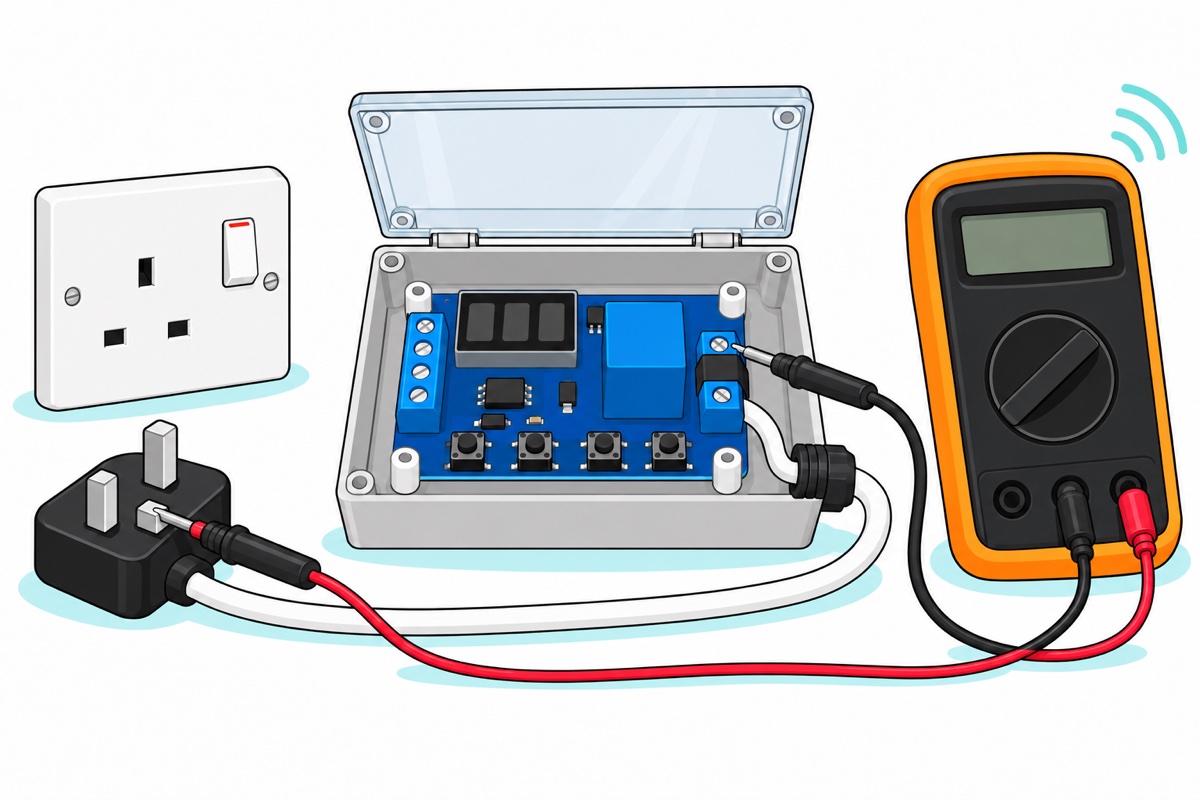
The XL830L multimeter proves the build with no mains connected. Its continuity range pushes a small current from its own battery and beeps when resistance is low, which is why it belongs only on dead circuits. With the plug pulled and the lid open, probe:
| Probe between | Expect | A wrong result means |
|---|---|---|
Each plug pin and the brown core at COM |
Beep on one pin only: that is L | No beep: fuse missing or blown, since it sits in the live. Beep on N: brown and blue swapped in the plug |
| Plug L pin and appliance-side live | Silent (relay idle, NO open) | Live is on NC, or bypasses the relay |
| Plug N pin and appliance-side neutral | Beep | Neutral not joined |
| Plug E pin and appliance-side earth | Beep | Earth broken |
Each of COM, NO, NC and the plug’s N pin against ~30V, GND, Trigger, GND_T |
Silent every time | Something bridges mains to the low-voltage side. Probe the screws themselves: with the relay idle, NO is not joined to the plug |
Then plug in only the 9 V adapter and press the button: the relay clicks and the L-to-live test beeps until the time runs out. Set the mode and time (next section) now, then close the lid: the buttons are inside, so every later change means appliance plug out, lid open. Our multimeter guide covers the continuity range.
How do you make a fan or lamp run for 10 minutes at the press of a button?
The multi-function relay module’s P1.2 mode does this: a trigger turns the relay on for the OP time, and another press during it restarts the clock. With the appliance plug pulled, hold SET for two seconds, choose P1.2 with UP or DOWN, short-press SET, set OP to 010, short-press STOP until all three decimal points light (the minutes band), then hold SET two seconds to save; the mode flashes to confirm.
A 60 W stand fan draws about 0.25 A (60 ÷ 240). Fans and LED bulbs surge at switch-on: a stopped motor has no back-EMF opposing the supply yet, and an LED driver charges its input capacitor in one spike. Those surges, and the arc a motor winding sustains as the contacts open, are why the inductive rating is only 3 A; a quarter-amp fan sits far inside it. A 2,200 W kettle draws over 9 A (2,200 ÷ 240), past even the 7 A resistive rating, so heaters, kettles and irons stay off this board.
A ceiling fan (kipas siling) is fixed wiring, and a bare board with one barrier between mains and its buttons has no place in a wall switch box: a registered contractor fits a countdown timer switch made for one instead.
Which mode gives a delay-on, a no-trigger run, or pulse on and off?
The XY-J02’s full mode list is in our 12V guide and the user manual; customers ask about these most:
| You want | Mode | Settings | Trigger wiring |
|---|---|---|---|
| Wait, then on for a while, then off | P2 | CL = the wait, OP = the run time | Needs a trigger, plus GND_T to GND |
| Run from power-on, nothing on Trigger | P3.2 | OP on, CL off, LOP 1 for one run or --- to repeat forever |
Trigger and GND_T stay empty. Restarts by itself after every power cut |
| One pulse on for 20 s, a second pulse switches off early | P1.3 | OP = 20.0 |
Trigger, plus GND_T to GND |
| Press to run, press again to restart the time | P1.2 | OP = the run time | Trigger, plus GND_T to GND |
P2 for “wait 5 seconds, run 10 minutes”: choose P2 and short-press SET. The display names each parameter, OP or CL, before its value flashes, so set CL to 005. (point after the last digit means seconds) and OP to 010 with all three points lit (minutes), short-pressing SET to move from one to the other, then hold SET to save. Each parameter keeps its own decimal point, because STOP sets the band of whichever value is flashing.
Common mistakes we see from real customers
“trigger和gnd_t干嘛用的” (what are Trigger and GND_T for?) The optocoupler LED’s two legs: the signal goes to Trigger, and GND_T links to GND or the signal source’s ground.
“如果我选通电马上运行trigger和gnd可以空着对吗” (if I choose run-at-power-on, can Trigger and GND stay empty?) Yes, in P3.2, the one mode that starts without a trigger. The supply GND still connects.
“我设置了那个延迟开机为什么还是不能” (I set the delay-on, why doesn’t it work?) Three causes. P2 waits for a trigger and never starts at power-on by itself; an empty GND_T means that trigger never arrives; and a CL in the minutes band turns a 5-second wait into five minutes, which looks like nothing happening. No mode waits first from power-on alone: P3.2 starts with the relay on.
“p2可以延迟开机也延迟关机倒计时对吗” (can P2 delay the switch-on and also count down to switch-off?) Yes. CL is the delay before on, OP the countdown to off.
“receive 1 pulse signal and the relay output trigger for certain timing (eg. 20sec) before switch off? … switch off after receiving second input pulse?” That is P1.3 with OP at 20.0: a second pulse during the 20 seconds switches off immediately.
FAQ
Can a 12V timer relay module switch 220V or 240V?
Its contacts can, within the datasheet’s 7 A resistive and 3 A motor ratings. The board stays on low-voltage DC, the live runs through COM and NO only, and it all goes in an insulated enclosure.
What is the difference between a DC 12V and an AC 220V timer relay module?
The supply. A DC board such as the XY-J02 has a ~30V terminal feeding a small 5 V regulator; a mains-powered board has an AC input and a visible power stage.
Do I connect live or neutral to the relay?
Live, to COM, with NO going on to the appliance. Neutral and earth run straight through untouched, so an appliance that is off has no live inside it.
Why doesn’t my timer relay’s delay-on (P2) work?
P2 needs a trigger and GND_T linked to GND; it never starts on its own at power-on. Also check CL’s decimal point: all three lit means minutes.
Should I use a timer relay or a plug-in timer for a daily schedule?
A plug-in timer. The relay module has no clock; a plug-in timer socket follows the time of day and needs no wiring.
Can I put a timer relay on a ceiling fan (kipas siling)?
Not as a DIY build. It is fixed wiring, so an Energy Commission-registered contractor fits a wall-box countdown timer switch instead.
Last updated October 2026. Stuck? Chat with us on WhatsApp.
