

Tutorials
Capacitive vs Resistive Soil Moisture Sensor: Which One Lasts in a Pot?
Oct
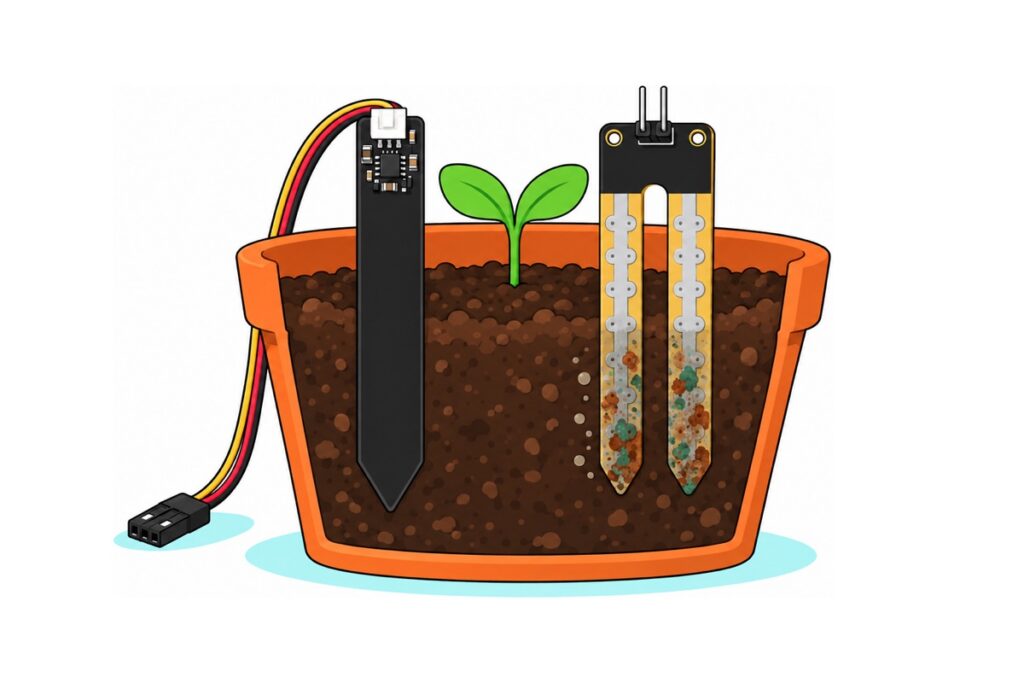
For anything that stays in a pot, buy the capacitive soil moisture sensor. The cheap two-prong resistive fork passes DC current through the soil between bare metal fingers, slowly electrolysing them until it reports dry soil in wet ground. The capacitive board senses water through a solid coating and puts no current into the soil. A resistive fork is still fine for a class demo that lasts one afternoon.
What does each type of soil moisture sensor actually measure?
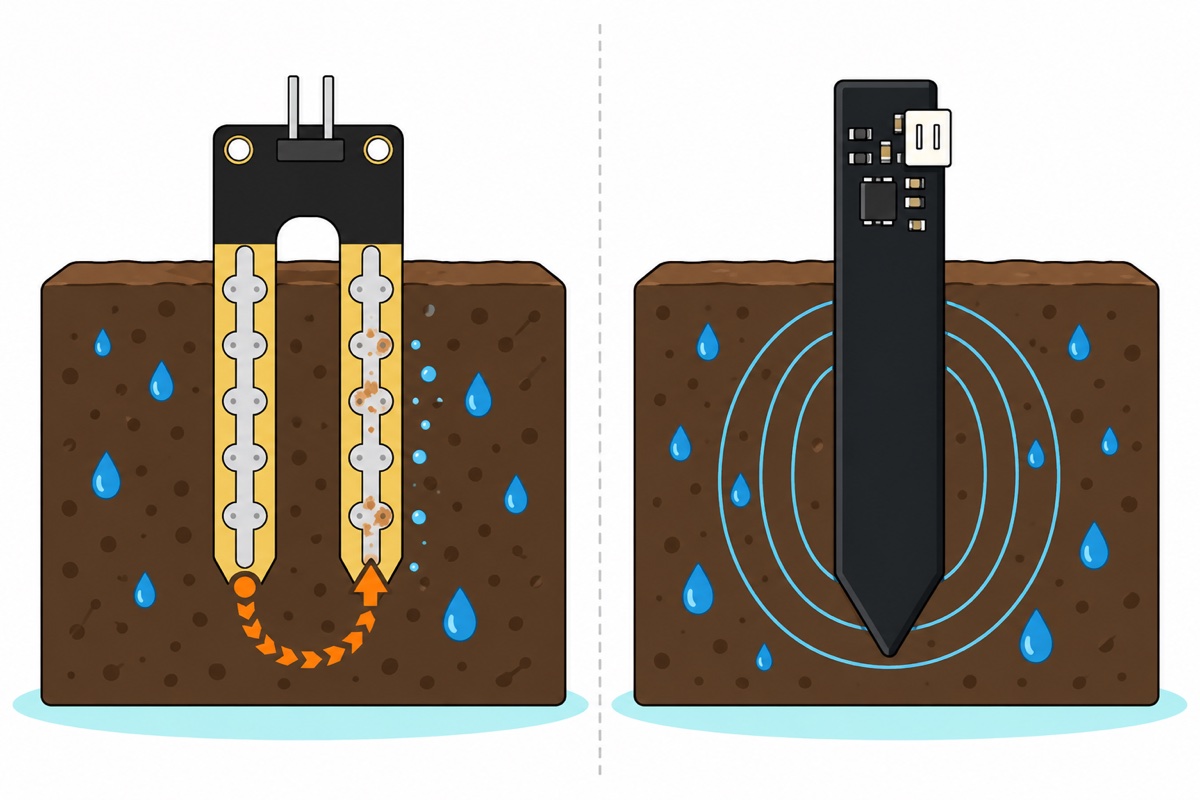
A resistive soil moisture sensor, the two-prong fork, measures how easily current flows through the soil. On the MH-style LM393 module, a fixed resistor runs from VCC to the AO output and the fork runs from AO to ground, so the two form a voltage divider. Water carrying dissolved salts conducts: wet soil lowers the fork’s resistance and pulls AO towards 0 V, while dry soil barely conducts and AO rises towards VCC. That DC flows for as long as the board is powered.
A capacitive soil moisture sensor measures the soil’s dielectric constant: how strongly it stores electric charge. Copper traces under the black paddle’s solder mask form a capacitor, with the surrounding soil as its dielectric. Water’s dielectric constant is about 80, against about 4 for mineral soil and 1 for air (capacitance probe), so wetting the soil multiplies that capacitance. On the v1.2 board, a 555 timer chip drives the pad with a square wave of about 1.5 MHz through a resistor. The resistor and the pad form an RC filter. Each half-cycle of the square wave is too short for the pad to charge fully, and a larger capacitance needs more charge to reach the same voltage, so the wetter the soil, the smaller the pad’s voltage swing. A diode peak detector after it holds the top of that swing as a steady voltage, which is why AOUT falls as the soil gets wetter. Only an alternating field crosses the coating; no current reaches the soil.
| Resistive fork (SOILMOI, SOMOSEN) | Capacitive v1.2 (CAPSOIL) | |
|---|---|---|
| What it senses | Conductivity: water plus dissolved salts | Dielectric constant: water content |
| Current into the soil | Continuous DC through bare fingers | None; an AC field through a coating |
| How it wears out | Fingers electrolyse; reading drifts towards dry | No electrolysis; fails if the coating is scratched through or the top electronics get wet |
| Outputs | Analog; SOILMOI also has DO via its comparator | Analog (AOUT) only |
| Right job | A probe in the soil for an afternoon | A pot, a bed, an automatic pump |
Which soil moisture sensor parts do you need?
Parts list: capacitive and resistive probes side by side on an Uno
 Capacitive Soil Moisture Sensor V1.2 Corrosion Resistant with Cable For Arduino IOT Application
 MH Soil Moisture Sensor Module Hygrometer Detection Moisture Sensor for Arduino Plant Watering System
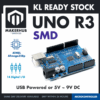 Arduino Uno Compatible SMD UNO R3 with Type B Cable - ATMEGA328P with CH340G-Microcontroller Project
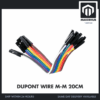 40pcs Dupont Wire 10cm 20cm 30cm for Breadboard DIY Experiment Jumper Wire Breadboard wire - DUPONT WIRE M-M 20CM
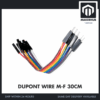 40pcs Dupont Wire 10cm 20cm 30cm for Breadboard DIY Experiment Jumper Wire Breadboard wire - DUPONT WIRE M-F 30CM
Parts list
| Item | Price | Qty | |
|---|---|---|---|
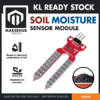 Soil Moisture Sensor Module Detection Water Level Capacitive Corrosion Resistant for Arduino DIYSOMOSEN Soil Moisture Sensor Module Detection Water Level Capacitive Corrosion Resistant for Arduino DIYSOMOSEN | RM2.35 |
Cheapest probe for a one-lesson RBT demo: a one-piece resistive fork with analog output only (S, +, −) and no comparator. Fine for an afternoon in the soil, not for a pot left for weeks.
The capacitive soil moisture sensor v1.2 is the black paddle; “Capaitive” on its silkscreen is the original design’s typo, not a fake. The MH soil moisture module is a resistive fork plus a blue LM393 comparator board, and the red Funduino-style fork is resistive too. Judge by the metal: bare silver fingers mean current through the soil.
Buy one, or both to compare in one pot on the Uno. The Uno’s headers are female sockets. The capacitive cable ends in a female plug, so it needs male-to-male jumpers; the LM393 board and the red fork have male pins, so they need male-to-female jumpers.
Why does a resistive soil moisture sensor read dry in wet soil after a few weeks?
The resistive fork’s DC current turns it into an electrolysis cell. At the positive finger, metal atoms give up electrons and dissolve as ions, so the silver-coloured plating thins and the copper beneath pits and grows a crust of oxide and salts. At the negative finger, the current splits water and releases hydrogen. Fertiliser speeds it up: more dissolved ions carry more current, and by Faraday’s law of electrolysis, metal lost is proportional to charge passed.
The damage raises the fork’s resistance: less plating touches the soil, and the crust conducts poorly. In the divider, more fork resistance means a higher AO. Take a 10 kΩ fixed resistor as an example: a fork reading 2 kΩ in wet soil gives 5 × 2 ÷ 12 = 0.83 V, about 171 on an Uno. Add 8 kΩ of corrosion and the same wet soil gives 5 × 10 ÷ 20 = 2.5 V, about 512: halfway to dry. The drift is slow and one-way, so nothing looks broken while a pump keeps watering a wet pot.
How do you wire a capacitive or resistive soil sensor to an Arduino?
Every soil moisture sensor here needs the same three connections: ground, a 3.3–5 V supply, and an analog output to an ADC pin. Only the MH module’s LM393 board adds a fourth, DO, a digital on/off signal; the capacitive v1.2 and the red fork have no DO pin and no threshold knob.
| Sensor pin | Uno | ESP32 | Note |
|---|---|---|---|
| CAPSOIL GND (black wire) | GND |
GND |
|
| CAPSOIL VCC (red wire) | 5V |
3V3 |
Powered all the time; it has no wear to save |
| CAPSOIL AOUT (yellow wire) | A0 |
GPIO34 |
0–3.0 V analog; lower = wetter |
| SOILMOI fork, two pins | Board’s two-pin input, either way round | Included female-female leads | |
SOILMOI VCC |
D7 |
GPIO18 |
Switched on only while reading |
SOILMOI GND |
GND |
GND |
|
SOILMOI AO |
A1 |
GPIO35 |
Lower = wetter |
SOILMOI DO |
D2 |
GPIO19 |
HIGH = drier than the knob’s threshold |
SOMOSEN + / − / S (instead of SOILMOI) |
D7 / GND / A1 |
GPIO18 / GND / GPIO35 |
Analog only, so ignore the sketch’s DO line; higher = wetter |
The LM393 board’s blue potentiometer sets only DO. The comparator holds DO HIGH while AO sits above the knob’s reference voltage, meaning drier than your threshold, and pulls it LOW when the soil is wetter. Turning it changes nothing analogRead() sees. To set it, the board needs steady power, because the sketch below switches it on for only a fraction of a second per reading: move its VCC lead to 5V (3V3 on an ESP32), push the probe into soil just as dry as you want to allow, and turn the knob slowly until the DO LED just changes state. Then move VCC back to the switching pin; from then on the board’s LEDs only blink once per reading, which is normal.
Why power the resistive board from a pin? Electrolysis happens only while current flows, so the sketch switches the fork on only while it reads: a 10 ms settle plus sixteen samples 2 ms apart, about 45 ms per reading. Read every 10 minutes and it is powered for 0.045 ÷ 600 of the time, under one ten-thousandth. That slows the wear enormously without stopping it, and the board’s comparator, divider and two LEDs draw a few milliamps, inside an Uno pin’s comfortable 20 mA.
How do you calibrate a soil moisture sensor instead of trusting the raw number?
A raw soil moisture reading means nothing until you know that sensor’s two ends. The Uno’s analogRead() returns 1023 × input ÷ 5 V, and the capacitive v1.2 outputs at most 3.0 V, so its highest possible reading is 1023 × 3.0 ÷ 5 ≈ 614. Two-fifths of the scale is unreachable, and a “dry above 700” threshold copied from a resistive tutorial never fires. Oscillators and pads also vary board to board, so every sensor gets its own two numbers:
- Upload the sketch below as it is and open the Serial Monitor; the raw numbers it prints are what you need. Hold the clean, dry probe in open air and note the raw value: that is
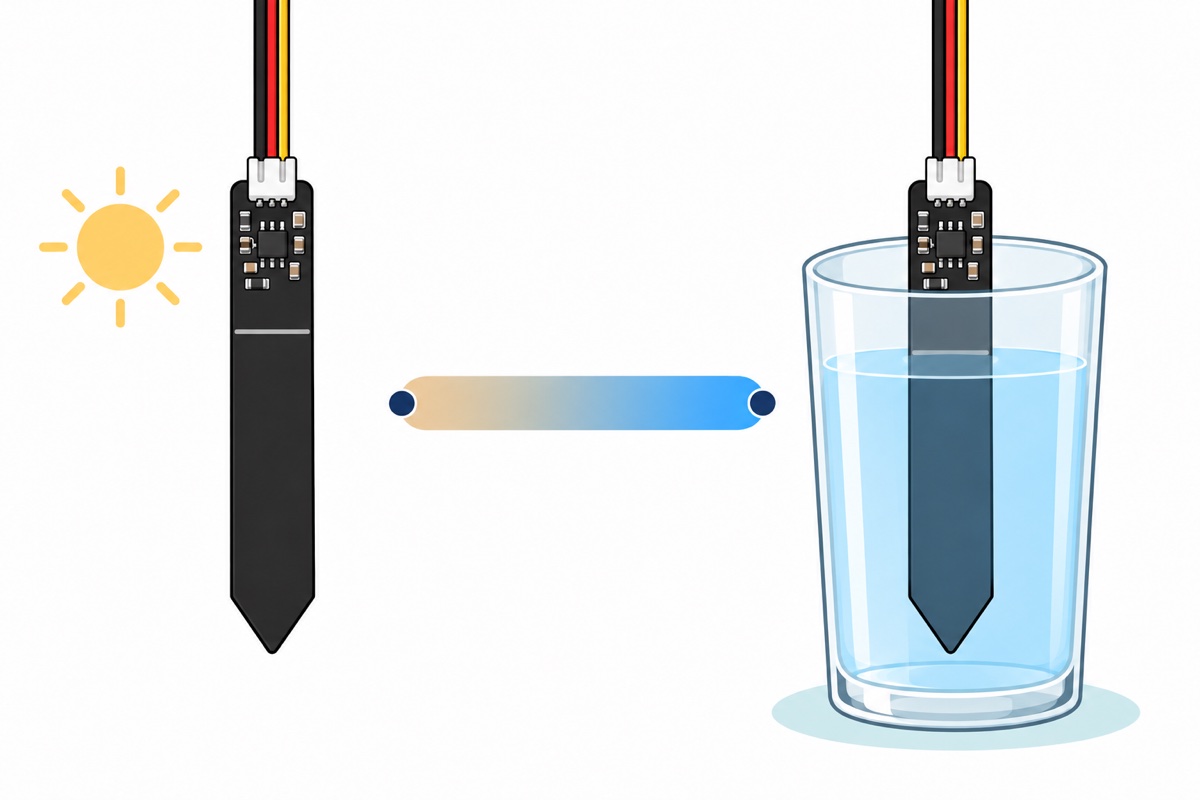
CAP_DRY(orRES_DRY). - Stand it in a glass of water up to the line printed across the board (a fork goes in up to where the silver ends), wait a few seconds, and note the value:
CAP_WET(orRES_WET). - Type both into the sketch and upload it again. It places each reading on a straight line between them: 0% dry, 100% wet.
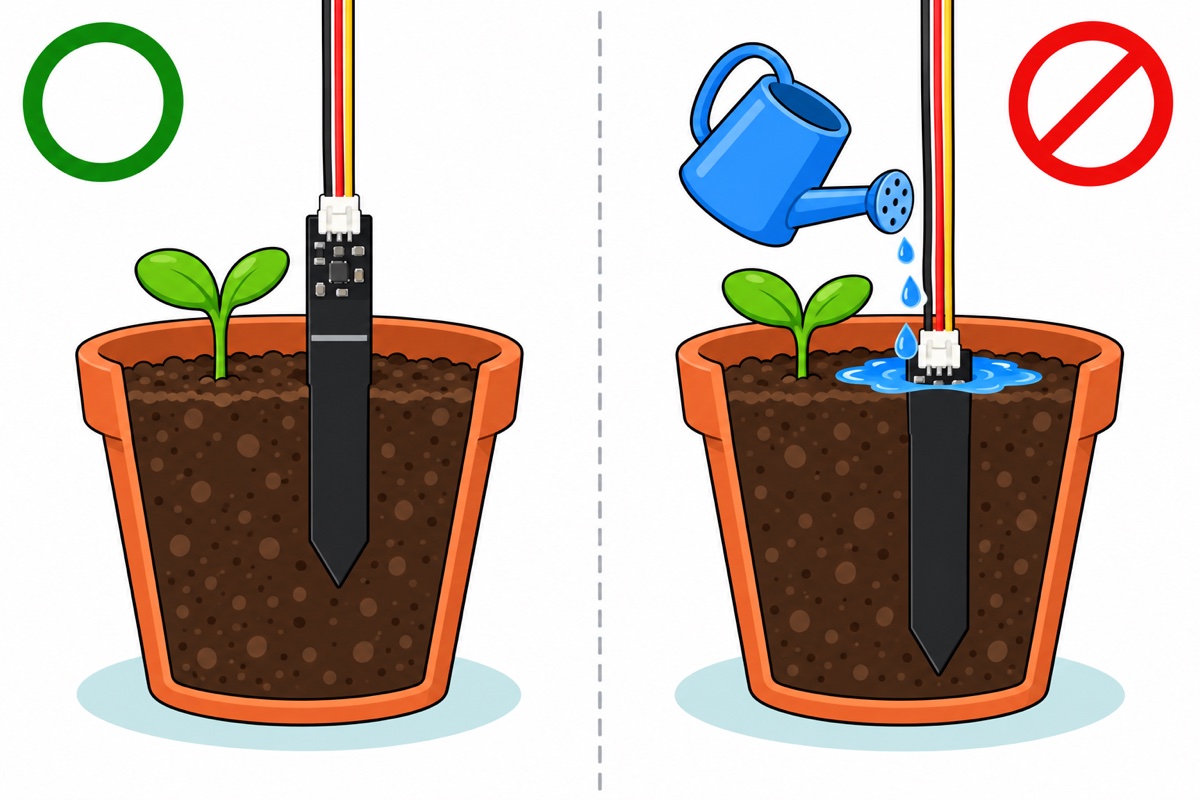
The capacitive and MH boards read lower when wetter; the red fork amplifies its probe current through a transistor, so its output rises. map() works either way because it only needs the endpoints, and constrain() clips readings past them. The result is a relative scale: potted soil never gets as wet as a glass of water, so pick the “needs water” point by watching your own plant dry out. Note the percentage on the day the top few centimetres of soil feel dry, and water below that. Push the probe in once and leave it there. An air gap around the probe reads as dry soil, because air’s dielectric constant is 1 and air does not conduct, so pulling it out and pushing it back in shifts the reading even when the soil has not changed.
// Capacitive vs resistive soil moisture sensor, side by side
// Capacitive v1.2 (AOUT) and resistive MH module (AO + DO) on one board

#if defined(ARDUINO_ARCH_ESP32)
const int CAP_PIN = 34;    // ADC1 pin: still readable with Wi-Fi on
const int RES_PIN = 35;    // ADC1 pin
const int RES_PWR = 18;    // powers the resistive board only while reading
const int DO_PIN  = 19;
#else
const int CAP_PIN = A0;
const int RES_PIN = A1;
const int RES_PWR = 7;
const int DO_PIN  = 2;
#endif

// Calibration: replace with YOUR sensor's numbers (example values are from an Uno)
const int CAP_DRY = 600;   // capacitive, probe in dry air
const int CAP_WET = 280;   // capacitive, in water up to the line
const int RES_DRY = 1015;  // resistive fork, in dry air
const int RES_WET = 330;   // resistive fork, in water

const unsigned long READ_EVERY_MS = 2000;  // 600000 (10 min) for a pot left for weeks
const int SAMPLES = 16;

int readAverage(int pin) {
  long sum = 0;
  for (int i = 0; i < SAMPLES; i++) {
    sum += analogRead(pin);
    delay(2);
  }
  return sum / SAMPLES;
}

// map() works whichever way the sensor runs: 0% at the dry end, 100% at the wet end
int toPercent(int raw, int dry, int wet) {
  long pct = map(raw, dry, wet, 0, 100);
  return constrain(pct, 0, 100);
}

void setup() {
  Serial.begin(115200);
  pinMode(RES_PWR, OUTPUT);
  digitalWrite(RES_PWR, LOW);   // fork unpowered between readings: no current, no electrolysis
  pinMode(DO_PIN, INPUT);
#if defined(ARDUINO_ARCH_ESP32)
  analogReadResolution(12);       // 0-4095
  analogSetAttenuation(ADC_11db); // measures roughly 0.15-3.1 V
#endif
}

void loop() {
  int capRaw = readAverage(CAP_PIN);

  digitalWrite(RES_PWR, HIGH);  // power the resistive board
  delay(10);                    // let the divider and comparator settle
  int resRaw = readAverage(RES_PIN);
  bool resDry = (digitalRead(DO_PIN) == HIGH);  // HIGH = drier than the knob's threshold
  digitalWrite(RES_PWR, LOW);   // and switch it off again

  Serial.print("capacitive raw ");
  Serial.print(capRaw);
  Serial.print(" = ");
  Serial.print(toPercent(capRaw, CAP_DRY, CAP_WET));
  Serial.print("%  |  resistive raw ");
  Serial.print(resRaw);
  Serial.print(" = ");
  Serial.print(toPercent(resRaw, RES_DRY, RES_WET));
  Serial.print("%  DO: ");
  Serial.println(resDry ? "dry" : "wet");

  delay(READ_EVERY_MS);
}
Open the Serial Monitor at 115200 baud. To turn the calibrated reading into watering, the automatic plant watering build adds the relay and pump to this same capacitive sensor; the water-level auto-pump guide and the mini pump guide cover the pump side, including why a pump must never be wired straight to an Arduino pin: it draws several times the current a pin can safely supply.
What changes when you read a soil moisture sensor on an ESP32?
On an ESP32, read the soil sensor on an ADC1 pin, GPIO32–39. The ADC2 pins share their converter with the Wi-Fi driver, so once Wi-Fi starts, ADC2 reads fail, and most ESP32 soil projects exist to send readings over Wi-Fi. The sketch uses GPIO34 and GPIO35, which are input-only pins anyway.
Power the sensors from 3.3 V. An ESP32 pin must not see more than its 3.3 V supply, and the LM393 board’s AO swings up to whatever feeds it: powered from GPIO18 it cannot exceed 3.3 V, where a 5 V supply could put 5 V on the pin. The ESP-32S board (or another variant) reads 0–4095 and, at 11 dB attenuation, measures roughly 0.15–3.1 V, so the capacitive output fits, but its raw numbers differ from the Uno’s: recalibrate. The ESP-32S has male header pins, so the jumper genders flip from the Uno: the capacitive plug takes male-to-female jumpers, while the LM393 board’s and the red fork’s male pins need female-to-female ones.
How do you keep a capacitive soil sensor working for a whole season?
The capacitive v1.2 only escapes wear while its coating is whole. The solder mask over the pad is a thin lacquer; scratch through it on a stone and bare copper touches wet soil, so the pad leaks current like a resistor as well as acting as a capacitor, the reading shifts, and the exposed copper corrodes. Loosen hard soil rather than forcing it in.
The thin white line across the board, just below the components, is the burial limit. Above it sit the timer chip, the regulator and the connector, none of them sealed; buried or splashed, water bridges their pins and the output wanders or the board dies. The cut edges are bare fibreglass, and water wicks along the glass fibres into the board itself, adding to the pad’s capacitance so the reading creeps towards wet over the weeks. For a long season, seal the edges and the top electronics with epoxy or heat-shrink, keeping the sealant off the sensing pad, and recalibrate afterwards.
A healthy v1.2 board swings by a few hundred counts on an Uno between dry air and water, so the two-point calibration doubles as a check on any new board. If one barely moves, read the eight-pin timer chip: the design calls for a TLC555, a CMOS timer rated down to 2 V. Some clones carry an NE555, specified from 4.5 V and out of spec on the board’s 3.3 V regulated rail; the Cave Pearl Project found half of those misbehaved even on 5 V.
Is there still a good reason to buy a resistive soil moisture sensor?
Yes: a resistive soil moisture sensor is the right buy for a short demonstration. In an RBT lesson the fork goes into a cup of soil, the class watches the reading change as water is poured in, and the fork comes out the same afternoon. Since metal loss tracks charge passed, four hours costs 4 ÷ 720, under 1% of a month in a pot. Rinse and dry it for the next class. The red fork is the simplest, with three pins and nothing to adjust; the MH module adds DO, so students can switch an LED with digitalRead() first.
The plug-and-play soil moisture relay module switches a small DC pump with no code, but its probe is a resistive fork that stays powered the whole time, so it corrodes faster than a pin-switched one: fine for a short project, not a season. Keep it on low-voltage DC; the 250 VAC printed on its relay is no reason to run mains wiring beside wet soil. If the project is plants with fish, the aquaponics school project grows them in clay pebbles flooded on a timer, with no soil sensor at all.
The rule: anything left in a pot for more than a few days, or driving an automatic pump, gets a capacitive sensor. A one-lesson RBT demo can use either.
Common mistakes we see
Judging the probe by its name. Two-prong forks are sold under “capacitive” or “corrosion-resistant” names across the market. Bare silver fingers mean current through the soil, whatever the label says; a capacitive board has a smooth, fully coated pad with no metal showing.
Copying someone else’s threshold. A number from another tutorial belongs to that sensor on that board’s ADC. Two minutes with a glass of water gives you your own.
Buying a DHT11 to measure soil. In Malay, kelembapan covers both air humidity and soil moisture, so a search for a moisture sensor can land on a DHT11. The DHT11 measures water vapour in the air around it and tells you nothing about the water held in the soil (DHT11 vs DHT22).
FAQ
Which is better, a capacitive or a resistive soil moisture sensor?
Capacitive, for anything left in soil more than a few days: no current enters the soil, so nothing electrolyses. Resistive suits a short demo.
Why does my soil moisture sensor say dry when the soil is wet?
On a resistive fork, corrosion: electrolysis raises the fingers’ resistance, pushing the reading towards dry. Switch to capacitive. On a capacitive board, firm the soil around the pad, since an air gap reads as dry, and calibrate against your own dry and wet readings.
Can I use a capacitive soil moisture sensor with an ESP32?
Yes. Power it from 3.3 V, read it on an ADC1 pin (GPIO32–39) because ADC2 fails once Wi-Fi starts, and calibrate it on the ESP32 itself.
Does the capacitive soil moisture sensor v1.2 have a DO pin?
No. It has GND, VCC and AOUT only. The DO pin and threshold knob belong to the LM393 comparator board that comes with resistive forks.
My sensor says “Capaitive Soil Moisture Sensor”. Is it fake?
No, the misspelling is on the v1.2 design’s silkscreen. Check the timer chip instead: TLC555 is right.
Last updated October 2026. Stuck? Chat with us on WhatsApp.
