

✅ Ready Stock in KL(Sungai Besi)
🔥 Ship within 24 hours from KL on working hours | Monday to Saturday, ( 10:00 AM to 6:00 PM ), Closed on Sunday
🚚 Same Day Delivery Available For Klang Valley Customers.
☎️ Message us via Shopee Chat or Whatsapp +6011 – 6822 6855 to arrange same day delivery or for product enquiry
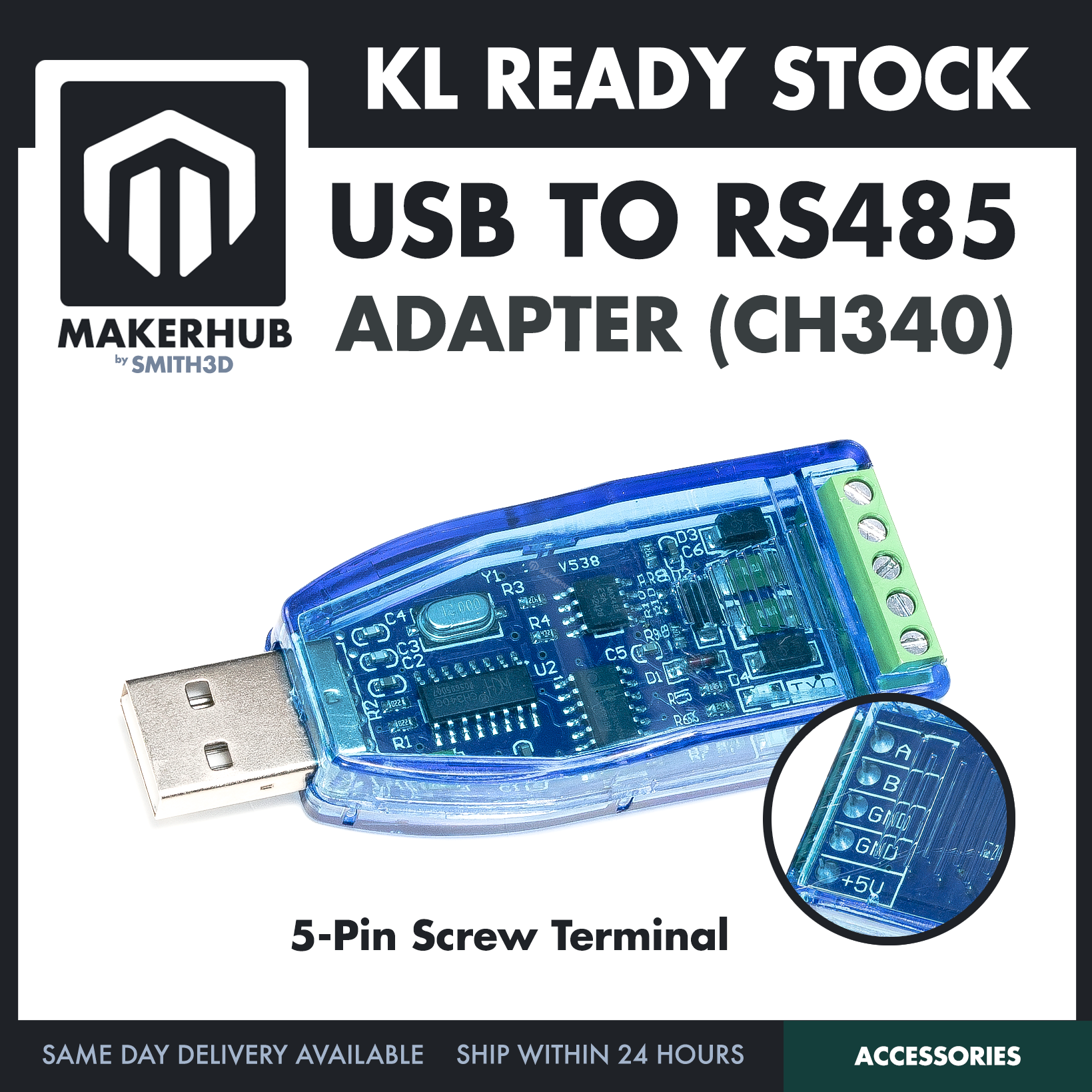
A USB to RS485 serial converter adapter module built on the CH340G chip — it plugs straight into a USB port on one side and gives you five screw terminals for your RS485 field wiring on the other.
⭐ Specification
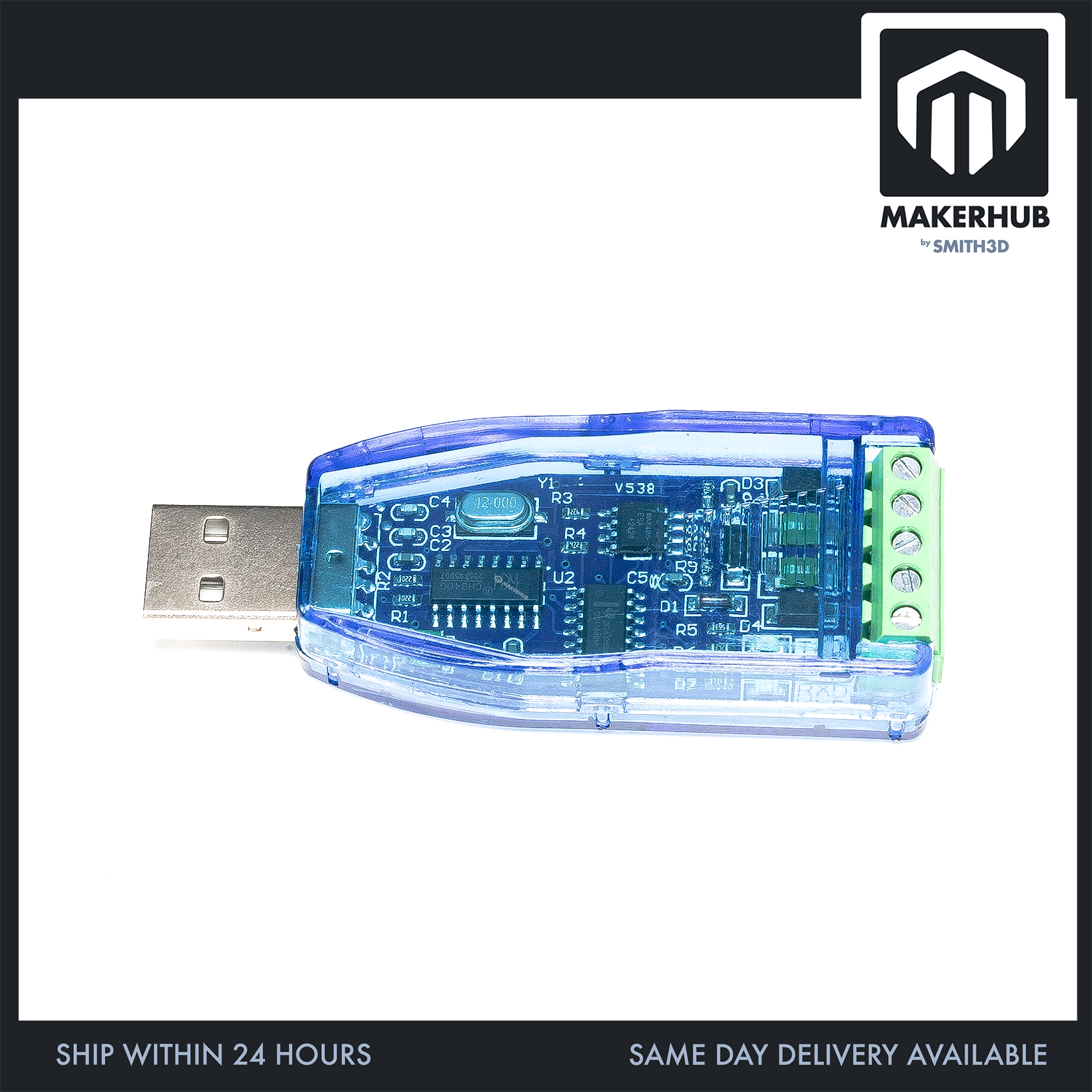
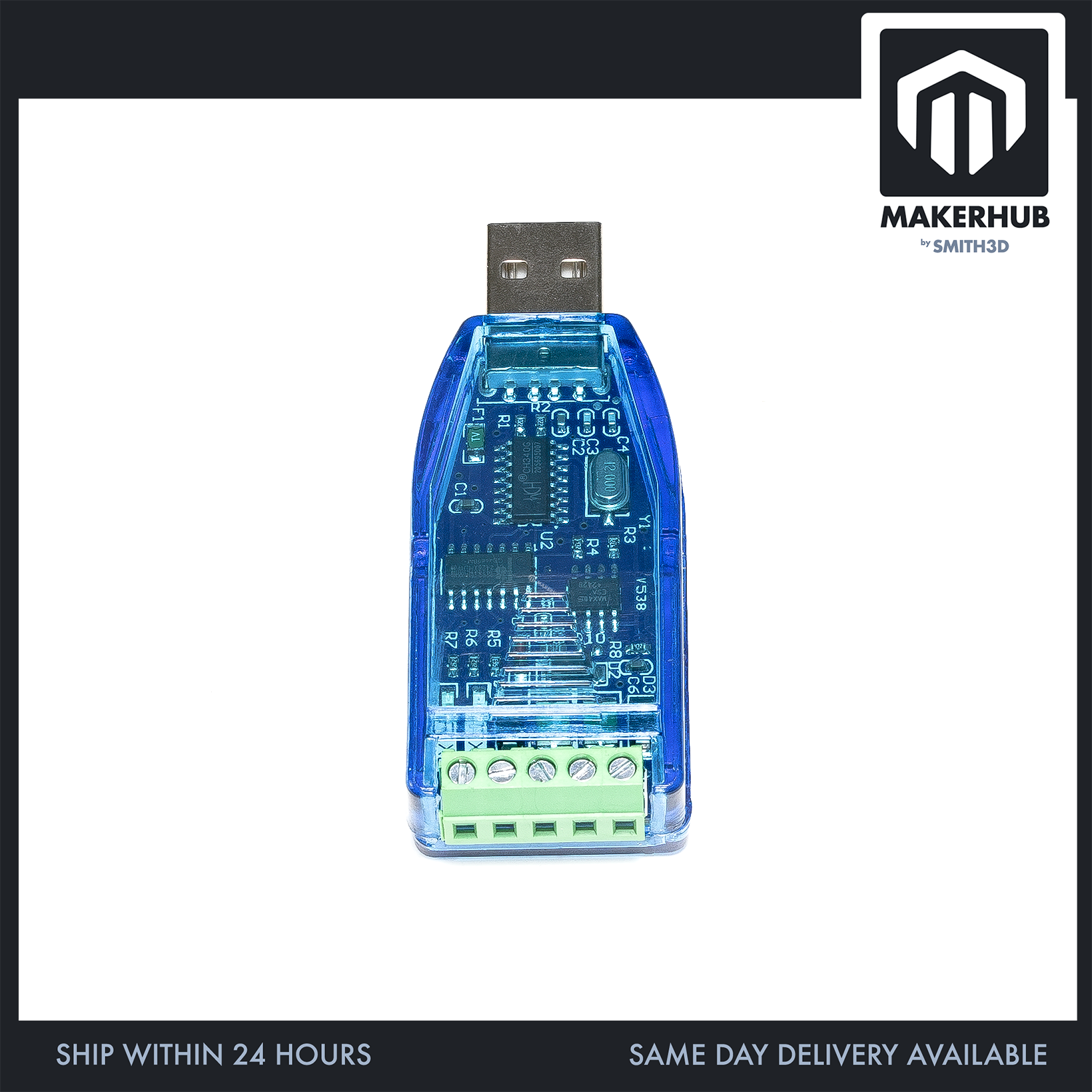
– USB-to-serial chip: CH340G (WCH). 16-pin SOIC at designator U2 — the `CH340G` part marking and the WCH logo are both legible in our product photo. This board carries the G part, not a generic “CH340 family / or similar” marking.
– Crystal: marked `12.000`, at designator Y1, sitting right beside the CH340G.
– Host interface: full-size USB Type-A male plug, moulded onto the board. The module is the plug — it goes directly into the port.
– Field interface: 5-position green screw terminal block with slotted screws.
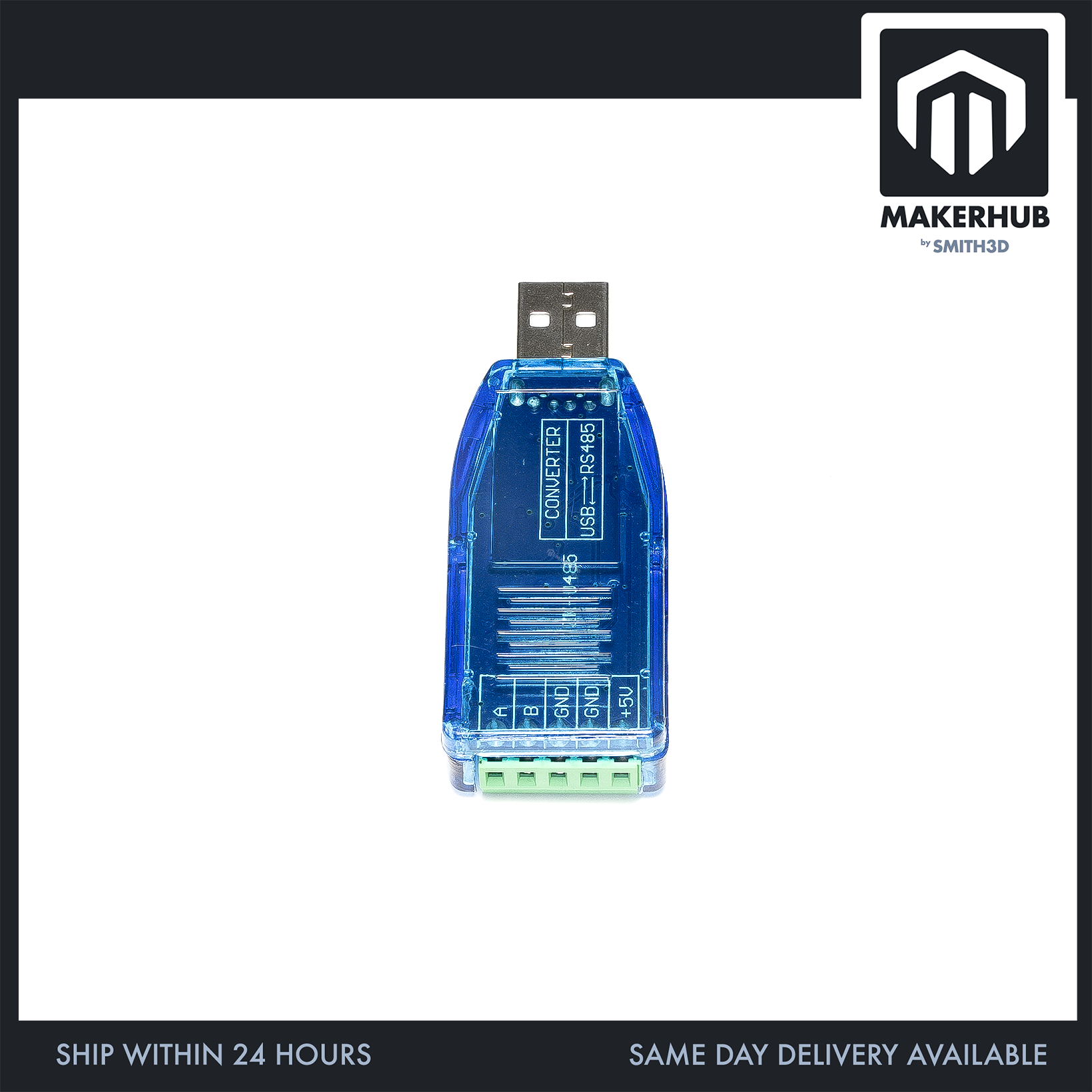
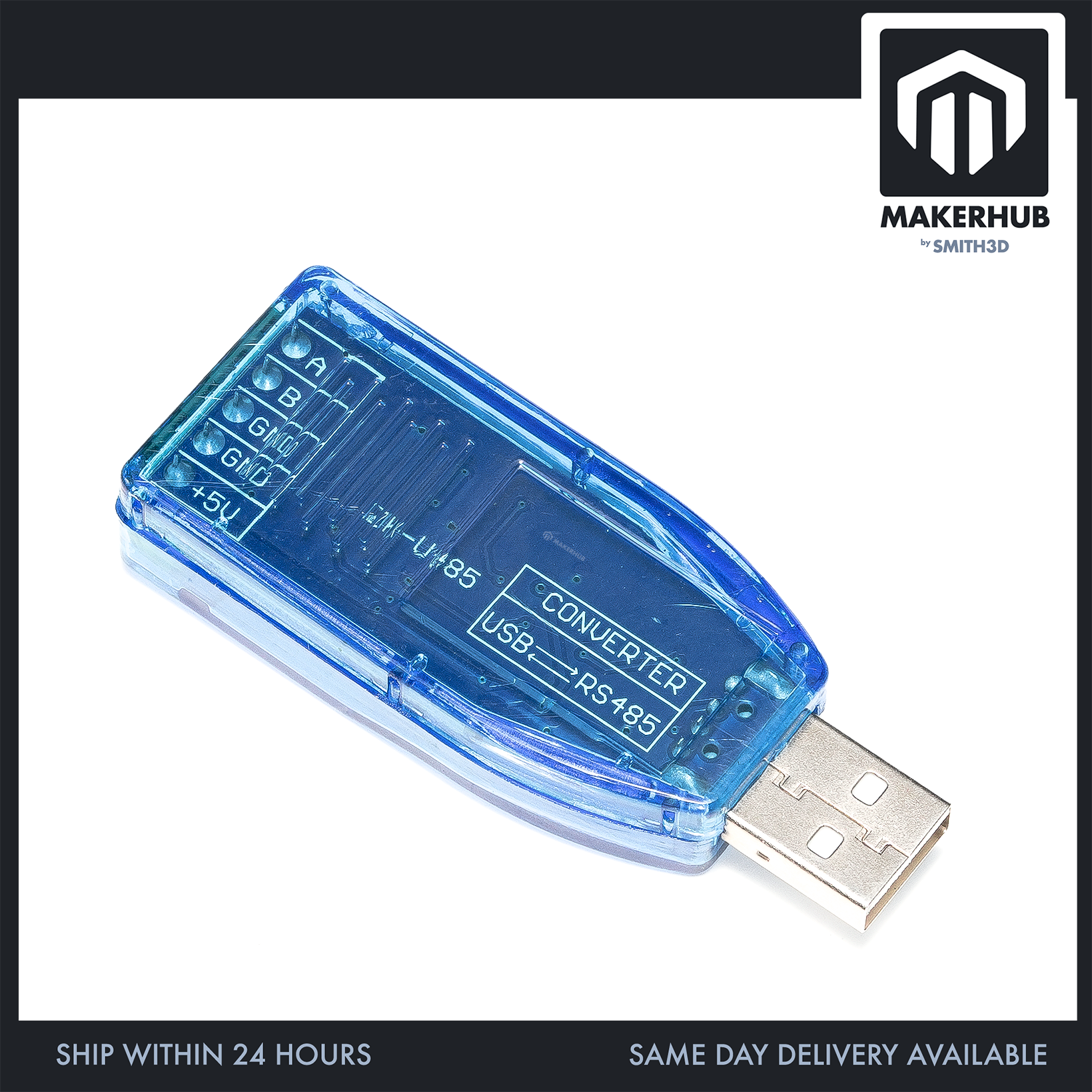
– Terminal pinout, in physical order along the block: `A` · `B` · `GND` · `GND` · `+5V`. Five separate screws, five silkscreen labels.
– Differential pair labelling: the silkscreen reads plain `A` and `B`. There are no polarity marks on this board — it does not say A+ or B−.
– Power connectors: there is no DC barrel jack, no USB-B socket and no power pin header anywhere on this board. The only power-named contact on the whole module is the `+5V` screw position, and `+5V` is the only voltage marked anywhere on the board.
– Housing: two-part translucent blue plastic shell — you can see the PCB and every component through it. Board revision V538 on the silkscreen.
– Shipping figures on file: 6.0 cm × 1.8 cm × 1.0 cm, 10 g (0.01 kg).
– Single version only. This SKU has no options and no variants. Every line above describes the one and only configuration we ship.
🔌 Connector & What Ships
– Host end — USB Type-A MALE, integrated. It is a direct-plug dongle: the metal Type-A shell, with its two retention dimples, is soldered onto the PCB. There is no cable and no socket on this end. If the USB ports on your PC or hub are tight together, this body will take up the space of a normal USB stick.
– Field end — 5-position screw terminal, screw-clamp entry. Not a pin header, not bare pads, not pre-tinned flying leads. You strip your wire, poke it in, tighten the screw.
– Nothing to solder. Both connectors are already fitted to the board at the factory and the whole thing is one piece. You do not need a soldering iron, crimper, ferrules or mating connectors for this module. You do need a small flat-blade screwdriver to work the terminal screws — see below.
⚒️ Interesting Project
– Interface with industrial sensors over long distances.
– Control multiple RS485 devices from your PC.
– Build a custom home automation data network.
📦 Package Includes:
– 1x USB to RS485 converter module (CH340G), assembled — translucent blue shell, USB Type-A male plug and 5-position screw terminal already fitted.
This SKU has no variants, so the single line above is the Package Includes list for every unit on this listing. Not included: USB extension cable, driver CD, printed manual, terminal screwdriver, mounting screws, standoffs, ferrules, field wire.
🧰 What You Also Need
– A small flat-blade (terminal) screwdriver — the size used for terminal blocks. Not included.
– Field wire. The terminals take bare stripped wire directly. If your RS485 device ends in a moulded plug rather than bare wire, you will need to break that out to bare ends first — this board has no mating connector for it. Wire is not included.
– The CH340 driver for your operating system, if it is not already installed on the host.
– A USB extension lead or a hub, if your ports are crowded or awkwardly placed. This is a direct-plug dongle with a body on it, so it needs the same port clearance as a normal USB stick. An extension lead is not included.
– Your device’s A/B labelling. Check how your RS485 device marks its differential pair before you wire up. This board’s terminals are marked plain `A` and `B`, with no + or − on the silkscreen.
❓ FAQ
Q: Which end goes into my computer — do I need a cable?
No cable. The module has a full-size USB Type-A male plug built onto the board, so it goes straight into a USB port. If you want it on the end of a lead, add a USB extension yourself.
Q: Do I need to solder anything?
No. Both ends are already fitted. The field side is a screw terminal, so your wires clamp in with a screwdriver.
Q: Which screw is which?
Reading along the block: A, B, GND, GND, +5V. That is what the silkscreen says, and the callout circle in our product photo magnifies it. Note there are two GND positions and a +5V position — five screws in total.
Q: Is this the CH340G, or some other CH340 part?
CH340G. The marking on U2 reads `CH340G` next to the WCH logo, and the package is a 16-pin SOIC.
Q: My device is labelled A+ and B−. What does this board say?
This board’s terminals are marked plain A and B. There is no + or − marking on the silkscreen and no polarity indication anywhere on the housing.
🏬 | Our Shop Lot |
No 12 (Ground Floor – 3D Printer & Parts) & (First Floor – Robotic Parts & Tools)
Jalan Tasik Utama 7,
Medan Niaga Tasik Damai,
Sungai Besi, 57000 Kuala Lumpur
| Weight | 0.01 kg |
|---|---|
| Dimensions | 6 × 1.8 × 1 cm |
Only logged in customers who have purchased this product may leave a review.
Related products
USB TO RS485 (2-Pin)
Reviews
There are no reviews yet.